← Back to Home
Duplicate file finder for Windows
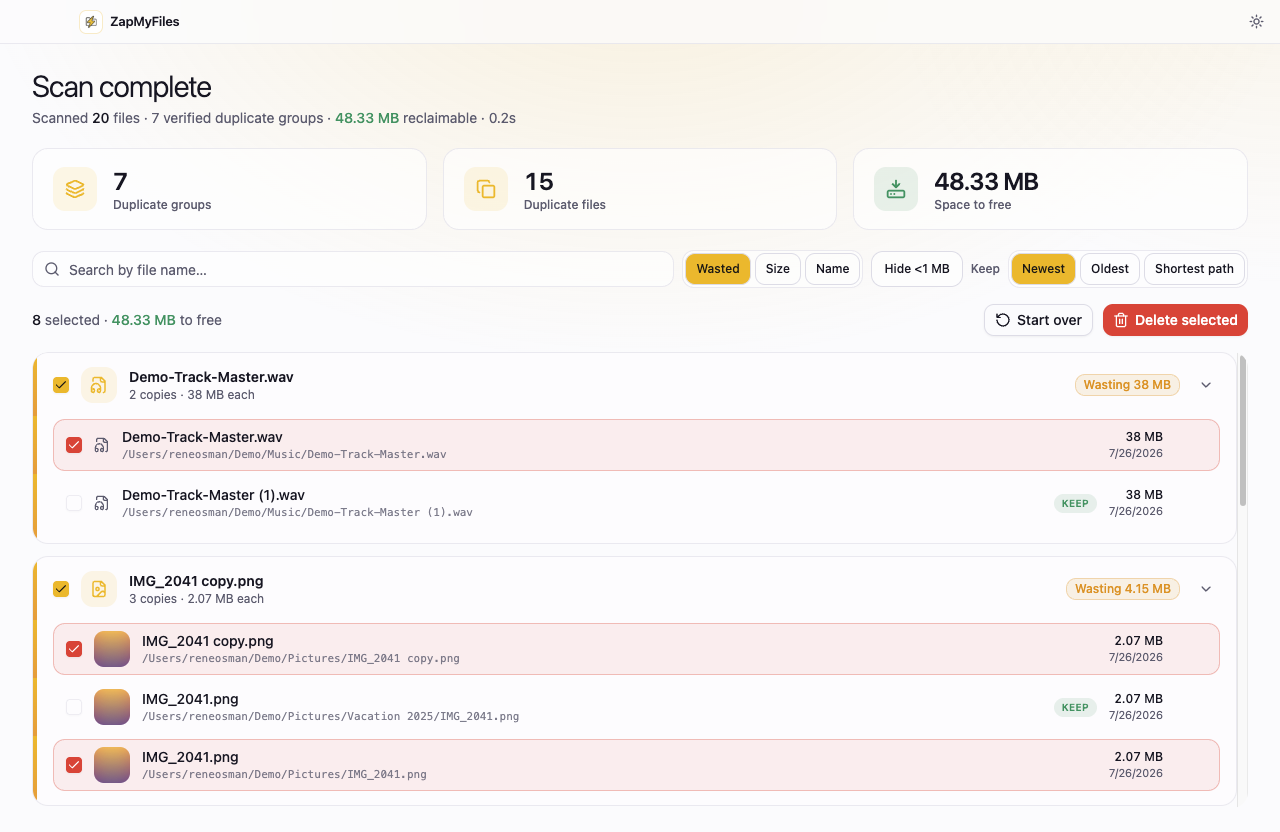
Find and remove duplicate files on Windows 10 and 11 without installing a subscription cleaning suite. ZapMyFiles does one job: byte-for-byte verified duplicates, removed to the Recycle Bin, reversibly.
Code-signed x64 installer for Windows 10 and 11.
A utility, not a suite
Most Windows duplicate finders come attached to something bigger — a registry cleaner, a driver updater, a “PC optimizer” subscription. ZapMyFiles has no registry access, no background services, no bundled offers, and no telemetry. It reads the folders you select, verifies duplicates byte-for-byte, and moves the copies you choose to the Recycle Bin.
If you are weighing it against CCleaner's bundled duplicate finder, the ZapMyFiles vs CCleaner comparison covers the differences honestly.
Downloads, photo dumps, and drive migrations
Windows machines accumulate duplicates in predictable places: a Downloads folder full of re-downloaded installers and documents, camera imports copied twice, and the leftovers of “I'll just copy everything to the new drive” migrations. Scan those folders together — including external and secondary drives — and ZapMyFiles groups identical files across all of them, with search, sorting by wasted space, and keep-rules to speed up review.
NTFS hard links are detected and flagged, so reclaimable-space numbers are never inflated by files that share storage.
Safe by construction
Deletion on Windows means the Recycle Bin, always — the app cannot permanently delete a file. The kept copy in every duplicate group is locked against selection, so a group can never lose all its copies. If ZapMyFiles is ever wrong, you restore from the Recycle Bin and lose nothing.
The same rules on every platform
01
Verified, not guessed
A file is only reported as a duplicate after its full contents are verified byte-for-byte. Names, sizes, and dates are never treated as proof.
02
Recycle Bin-only deletion
Removals go to the Recycle Bin with explicit confirmation, and the kept copy in every group is locked against selection.
03
Nothing leaves your machine
No telemetry, no account, no uploads. The app's only network request is a static update check.
Questions before you install?
The FAQ covers safety, detection, and pricing, the download page has full install instructions, and the privacy policy spells out exactly what the app does and does not collect.