← Back to Home
Duplicate file finder for Linux
Polished graphical duplicate finders on Linux are rare — the usual answers are CLI tools or apps built for another platform first. ZapMyFiles ships native deb and rpm packages and treats Linux as a first-class target.
x64 packages for Debian/Ubuntu (deb) and Fedora/openSUSE (rpm), or use the one-line installer on the download page.
A real GUI for a job usually left to the terminal
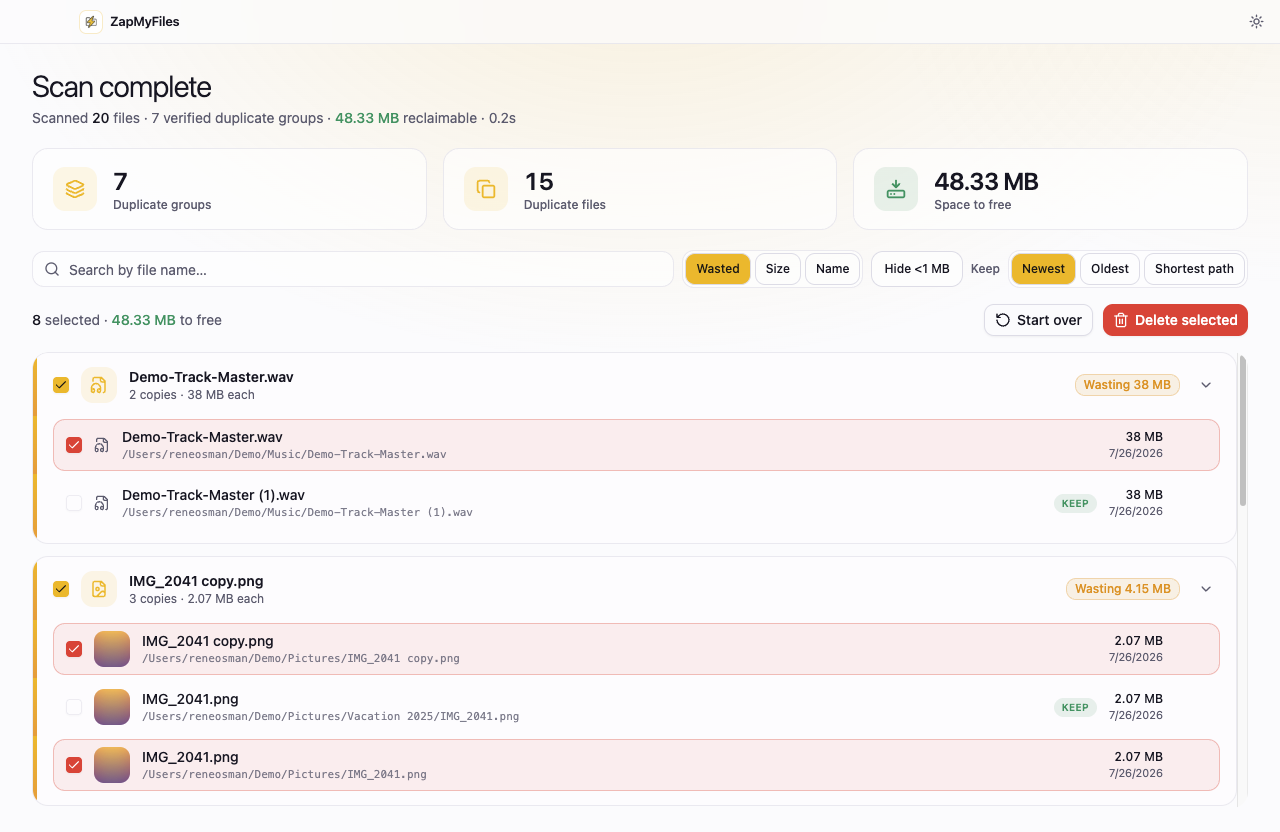
fdupes, rdfind, and jdupes are fine tools if you live in the terminal, but reviewing duplicate photos in a text list is nobody's idea of careful. ZapMyFiles gives you a graphical review: thumbnails for images, groups sorted by wasted space, search and filters, and keep-rules — with results you can inspect before anything moves.
Deletion respects the freedesktop Trash specification: removed files go to your desktop environment's Trash, not straight to oblivion, and the kept copy in every group is locked against selection.
Home directories, NAS mounts, and backup folders
Linux duplicate sprawl usually lives in ~/Downloads, in rsync'd backup folders, and on mounted drives. Scan multiple folders together and ZapMyFiles groups identical files across all of them. Hard links are detected and flagged — important on Linux, where rsync --link-dest backups and deduplicating tools make nlink > 1 common — so reported reclaimable space is real.
Honest comparison: Czkawka exists and it's good
The strongest alternative on Linux is Czkawka — free, open source, fast, and more featureful in fuzzy-matching modes. ZapMyFiles trades that breadth for guardrails and a gentler interface, and only ever reports byte-for-byte verified duplicates. The ZapMyFiles vs Czkawka comparison lays out both sides fairly.
The same rules on every platform
01
Verified, not guessed
A file is only reported as a duplicate after its full contents are verified byte-for-byte. Names, sizes, and dates are never treated as proof.
02
system Trash-only deletion
Removals go to the system Trash with explicit confirmation, and the kept copy in every group is locked against selection.
03
Nothing leaves your machine
No telemetry, no account, no uploads. The app's only network request is a static update check.
Questions before you install?
The FAQ covers safety, detection, and pricing, the download page has full install instructions, and the privacy policy spells out exactly what the app does and does not collect.