Let's be upfront: Czkawka is excellent. It is fast, actively developed, open source, and free. If you are comfortable with it, keep using it. This page is for people who want the same local-first principles with a gentler interface and stronger guardrails.
Czkawka
ZapMyFiles
Price
Free, open source (MIT), donations welcome
Free download; optional Pro planned as a one-time purchase
Actively maintained
Yes — frequent releases
Yes — signed releases with automatic updates
Capabilities
Exact duplicates plus similar images, videos, music, broken files, empty folders, and more
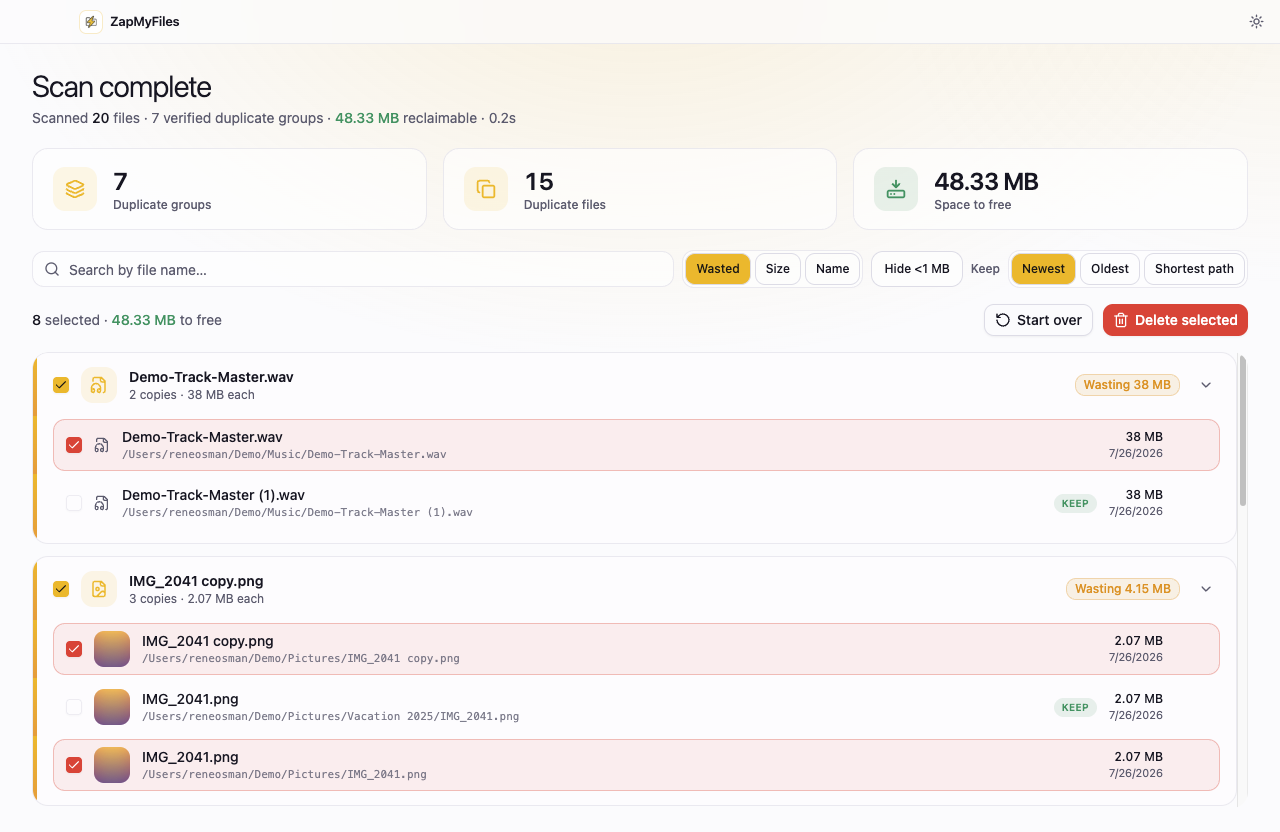
Guided desktop app: review, keep-rules, thumbnails, search and filters
Signed installers
Community builds; macOS Gatekeeper and Windows SmartScreen warnings are common
Signed and notarized on macOS; code-signed on Windows
Deletion safety
Powerful options, including permanent deletion, in the user's hands
System Trash only; kept copy locked; explicit confirmation always
Privacy
Local, no telemetry
Local, no telemetry — the only network request is a static update check
Competitor pricing and feature claims last checked July 2026 — see the vendor's site for current details.
ZapMyFiles only shows duplicates it has verified byte-for-byte.
Same principles, different audience
Czkawka and ZapMyFiles agree on the things that matter most: duplicate finding should happen locally, cost you nothing to try, and never phone home. Czkawka goes further on raw capability — similar-image detection, music comparison, broken-file scanning, and a scriptable CLI. It is the right tool for people who enjoy that power and accept the sharp edges that come with it.
ZapMyFiles trades breadth for guardrails. Results are limited to what has been verified byte-for-byte, deletion can only ever reach the system Trash, the kept copy in each group is locked against selection, and hard-linked files are flagged so reclaimable space is never overstated. The installers are signed and notarized, so nothing needs to be bypassed to run the app. It is the version of this tool you can hand to someone who has never heard of a checksum.
If you're choosing for someone else
A common situation: you are the technical person, and a parent or colleague needs their duplicates cleaned up. Czkawka in their hands offers a lot of ways to hold it wrong. ZapMyFiles is designed so the dangerous paths do not exist — which is exactly what you want in software you will be asked to support over the holidays.
Choose Czkawka if…
You want similar-image, video, or music matching, not just exact duplicates
You want a CLI you can script, and full open-source control
OS security warnings on unsigned builds don't bother you
Choose ZapMyFiles if…
You want signed installers that just open, on all three platforms
You want guardrails: Trash-only deletion and a locked kept copy
You're setting up a tool for someone less technical than you
Try it on one folder.
ZapMyFiles is a free download for macOS, Windows, and Linux. Scan a single folder, review the verified results, and see whether it earns your trust.