dupeGuru earned its reputation as the free, cross-platform duplicate finder — but it has not seen a release since July 2022. If you are looking for a maintained alternative that keeps the same spirit, here is an honest comparison.
dupeGuru
ZapMyFiles
Price
Free, open source
Free download; optional Pro planned as a one-time purchase
Actively maintained
Last release July 2022
Actively developed, with signed releases and automatic updates
How duplicates are confirmed
Filename, contents, or fuzzy similarity modes depending on settings
Always verified byte-for-byte with a full-content hash before being shown
Deletion
Send to Trash or delete directly, depending on options
System Trash only — the app can never permanently delete a file
Kept-copy protection
Reference file per group
The kept copy is locked and can never be selected for deletion
Signed installers
Recent macOS/Windows builds require workarounds on current OS versions
Signed and notarized on macOS; code-signed on Windows
Platforms
macOS, Windows, Linux
macOS (Apple Silicon + Intel), Windows x64, Linux
Privacy
Local, no telemetry
Local, no telemetry — the only network request is a static update check
Competitor pricing and feature claims last checked July 2026 — see the vendor's site for current details.
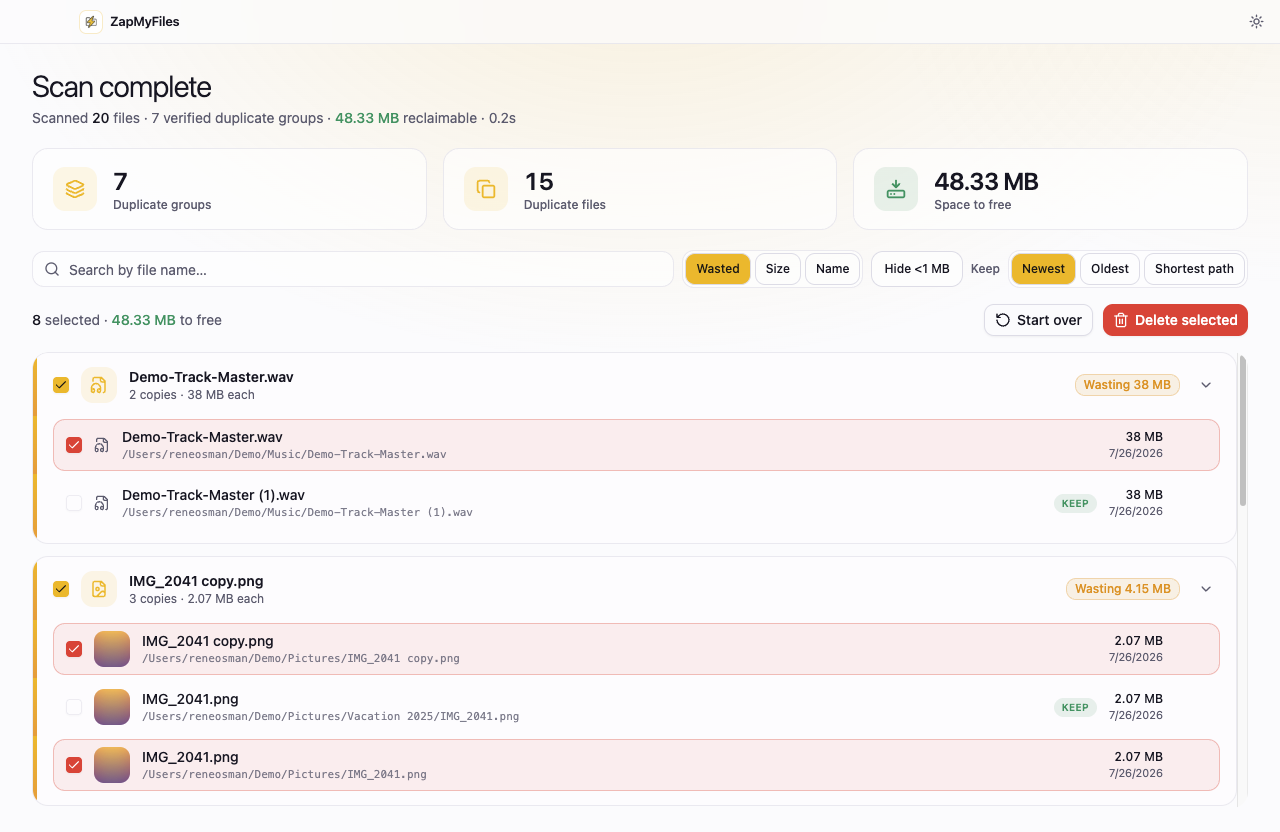
ZapMyFiles only shows duplicates it has verified byte-for-byte.
dupeGuru was the right idea
Free, local, cross-platform, and no upsell — dupeGuru set the standard for what a duplicate finder should be, and it still works for many people today. This page exists because the project has been quiet for years: the last release shipped in July 2022, and running it on current versions of macOS and Windows increasingly requires manual workarounds.
ZapMyFiles is built around the same principles dupeGuru users already value: your files stay on your machine, there is no telemetry, and a genuinely useful version is free. The differences are the things that come with active maintenance — signed installers that open without security warnings, automatic updates, support for current OS releases, and a modern interface.
One deliberate difference: no fuzzy matching
dupeGuru offers fuzzy filename and similarity modes that can surface near-matches — useful, but also the source of most wrong results in this category. ZapMyFiles takes the stricter position: a file is only ever reported as a duplicate after its full contents have been verified byte-for-byte. If you rely on dupeGuru's similarity modes, that is a real capability difference to weigh.
Choose dupeGuru if…
You want fuzzy or similarity-based matching modes today
You prefer fully open-source software you can build yourself
It already runs fine on your system and does what you need
Choose ZapMyFiles if…
You want a maintained app with signed installers and automatic updates
You want every result verified byte-for-byte before you act on it
You want deletion limited to the system Trash, with the kept copy locked
Try it on one folder.
ZapMyFiles is a free download for macOS, Windows, and Linux. Scan a single folder, review the verified results, and see whether it earns your trust.