← Back to Home
Duplicate file finder for Mac
Free your Mac's storage without handing a cleaning suite the keys to it. ZapMyFiles finds byte-for-byte verified duplicates in the folders you choose and moves what you delete to the Trash — nothing more.
Native builds for Apple Silicon (M1–M4) and Intel Macs. Signed and notarized.
Built the way macOS wants apps to behave
ZapMyFiles never asks for Full Disk Access. You pick folders through the standard macOS picker, and the app can read those folders and nothing else. That is not a limitation we work around — it is the design: scans stay scoped to what you actually want checked, whether that is Downloads, an old Desktop backup, or an external drive.
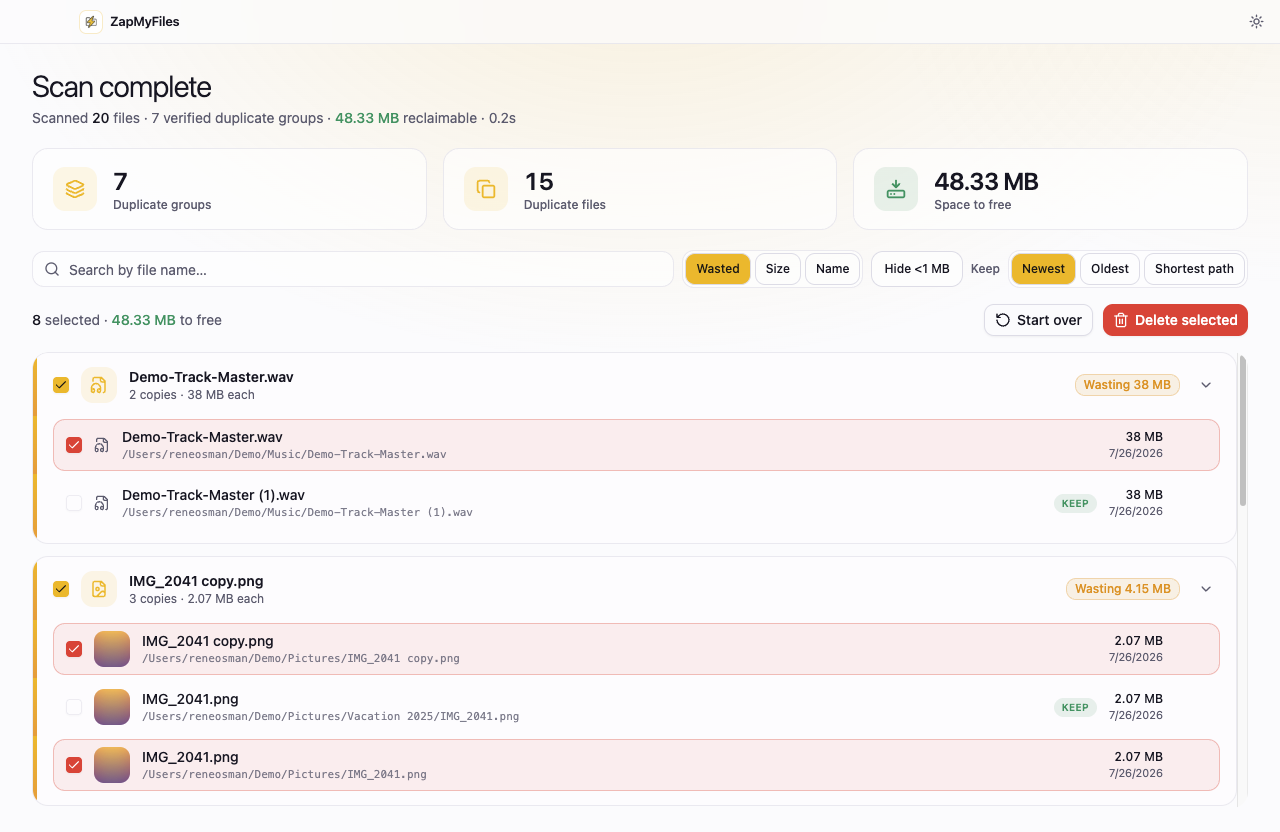
The app is signed and notarized by Apple, runs natively on Apple Silicon, supports light and dark mode, and shows image thumbnails right in the results so you can see what you are deleting before you delete it.
Externals, backups, and copy sprawl
The classic Mac duplicate problem is not one folder — it is the same photos living in Downloads, in a “Backup” folder, and on an external drive. ZapMyFiles scans multiple folders together, including external drives, and groups identical files across all of them. Hard-linked files are detected and flagged, so the space it says you can reclaim is space you will actually get back.
How it compares on the Mac
The best-known Mac tools are Gemini 2 ($44.95 one-time or a subscription, Mac-only) and Nektony's Duplicate File Finder. Both are capable; both cost money for full functionality, and Gemini's similar-file detection trades certainty for reach. Everything ZapMyFiles does today is free, and results are limited to what has been proven byte-for-byte. See the full ZapMyFiles vs Gemini comparison.
The same rules on every platform
01
Verified, not guessed
A file is only reported as a duplicate after its full contents are verified byte-for-byte. Names, sizes, and dates are never treated as proof.
02
system Trash-only deletion
Removals go to the system Trash with explicit confirmation, and the kept copy in every group is locked against selection.
03
Nothing leaves your machine
No telemetry, no account, no uploads. The app's only network request is a static update check.
Questions before you install?
The FAQ covers safety, detection, and pricing, the download page has full install instructions, and the privacy policy spells out exactly what the app does and does not collect.